
Using a mobile gaming app should be simple, but the process can become confusing when several apps use similar names. N999 Game is one such example. Current Android listings show more than one application using the N999 name, including a casual lucky-wheel version and other versions described as broader online gaming platforms.
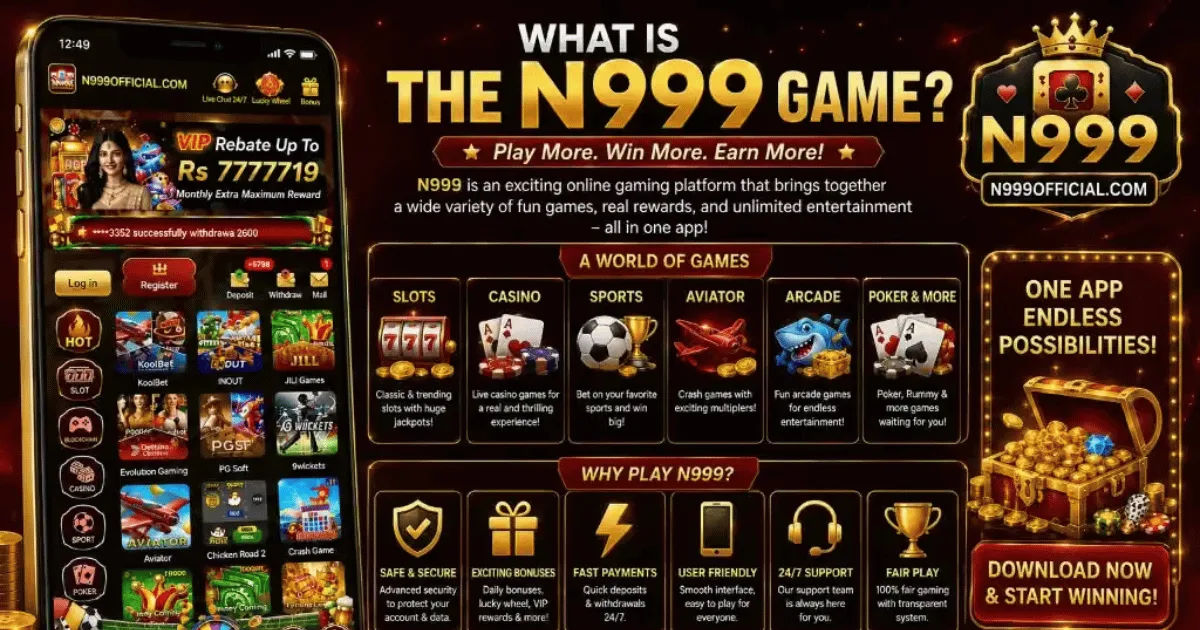
This means Android users should first confirm that they have the correct app before installing or creating an account.For someone using an Android phone for the first time, the basic process is straightforward.
You need a compatible device, a legitimate installation source, enough storage, and a stable internet connection if the particular version requires online access. After installation, you can open the application, explore its interface, select an available game, and learn how its controls work.
This guide explains how to use N999 Game on Android in practical terms. It also covers installation, compatibility, navigation, account considerations, common problems, privacy, and important safety checks.
What Is N999 Game?
The name N999 Game currently refers to more than one Android application, so it is important not to assume that every N999-branded app works in exactly the same way.
One Google Play listing describes an N999 app as a casual lucky spin wheel game. According to that listing, users tap a Spin button, receive virtual coins, and continue playing without an account. The listing specifically says that these coins are only in-game points and cannot be bought, sold, or cashed out.
Other applications using the N999 name describe themselves as broader entertainment or gaming platforms, with features and game categories that differ from the casual spin-wheel version.
That difference matters. Before following instructions for any N999 Game download, check the developer name, app description, package information, permissions, and current version.
What Do You Need to Use N999 on Android?
You do not need an expensive smartphone to run every version of N999 Game. Requirements depend on the particular application.
For example, one currently listed N999 lucky-wheel APK specifies Android 7.0 or later. Another N999-branded platform may have different requirements.
Before installing, make sure your phone has enough free storage. It is also sensible to update Android and Google Play Services where applicable. An outdated operating system can cause installation errors, crashes, or compatibility problems.
A reliable internet connection is useful when the app loads online content. However, one N999 lucky-wheel version describes itself as an offline casual game, showing why users should check the exact app rather than relying on the name alone.
How to Install N999 Game on Android
Check the App Before Installing
The first step is identifying the correct application.
Search for N999 using a trusted app store when possible. Look carefully at the developer name, screenshots, description, number of downloads, update date, and data-safety information.
Do not install an APK simply because its filename contains “N999.” Different websites can host files with similar names, and an APK obtained from an unknown source may not be the same application you intended to install.
Install From Google Play When Available
If your intended version of N999 Game is available through Google Play, using the Play Store is generally the simpler option.
Open Google Play, search for the exact application, inspect the listing, and select Install. Once Android completes the installation, the application should appear among your installed apps.
One current listing identifies an N999 casual game as an Android application from Arfa Soft tech, while other listings show different developers.
This is another reason to verify the developer before tapping Install.
Be Careful With APK Installation
Some N999-branded platforms are distributed through APK files rather than conventional Play Store installation. In that situation, Android may display a warning about installing applications from outside the Play Store.
That warning should not be ignored.
Before installing an APK, verify where it came from and whether the file corresponds to the official application. Check the version and developer information against a trustworthy source. Avoid downloading modified, “unlimited money,” or cracked versions because they can introduce security and privacy risks.
How to Open N999 Game for the First Time
After installation, locate the N999 Game icon on your Android home screen or in the application drawer.
Tap the icon to launch it.
The first N999 Game screen depends on the version you installed. A casual lucky-wheel version may take you directly to the game screen, while another version may present categories, registration, or login options. Current N999 Game listings demonstrate these differences clearly.
Take a few moments to understand the screen instead of immediately tapping every button. Look for the main menu, game categories, settings, help section, and account controls.
If the application requests permissions that seem unrelated to its function, stop and review them before continuing.
How to Navigate N999 Game on Android
Understand the Main Menu
The main menu is usually the starting point for exploring an Android game.
Depending on the version, you may see individual games, categories, rewards, settings, or account options. A casual spin-wheel version can be much simpler, with the primary game occupying most of the screen.
If you are unfamiliar with the interface, explore the menu before starting a session. Knowing where settings and help options are located can save time later.
Select a Game
Choose a game from the available categories.
If you are using the casual N999 Game version described on Google Play, the central activity is a lucky wheel. You tap Spin, wait for the wheel to stop, and the resulting virtual coin amount is added to the on-device total.
Other versions may present completely different game types. Do not assume that instructions for one N999 application apply to another.
Learn the Controls
Most Android games are designed around touch controls.
Buttons may allow you to start a round, choose a game, adjust settings, return to the menu, or view information. Read labels carefully, particularly when a button relates to purchases, account activity, or other transactions.
For casual play, it is usually worth spending a minute learning the controls before playing repeatedly.
How to Use N999 Game Smoothly on Android
Performance depends on your phone, Android version, available storage, and the particular application.
Close unnecessary background applications if the game feels slow. Keeping several demanding applications open can reduce available memory and make animations less responsive.
You should also keep sufficient free storage. Android applications may need additional temporary space when updating or processing data.
If the application is online, test your internet connection. A weak connection can produce loading delays, disconnections, or incomplete screens.
Another useful habit is keeping the application updated when updates come from a trustworthy source. One N999 APK listing, for example, reports a recent version with bug fixes and improvements.
What If N999 Game Does Not Install?
Installation problems are common with Android applications and do not always mean the application itself is broken.
First, check whether your Android version meets the stated requirement. If your device is too old, the application may refuse to install.
Next, check available storage. A phone that appears to have enough space may still need additional room during installation.
If you are installing an APK, make sure the file downloaded completely. A damaged or incomplete file can cause an installation failure.
You should also avoid installing several APK versions over one another. If the package signatures conflict, Android can reject the installation.
When possible, use the official store listing instead of an unknown APK website.
How to Fix N999 Game Crashes
If N999 Game opens but closes unexpectedly, start with basic troubleshooting.
Restart the phone and open the application again. If the problem continues, check whether an update is available.
You can also check Android's application settings and clear the app cache. Be careful with options that erase application data because they may remove locally stored information.
If the application still crashes, uninstalling and reinstalling the verified version can help.
Do not immediately download a different APK from an unfamiliar website simply because the first one stopped working. That can create a bigger security problem than the original crash.
Is N999 Game Safe to Use on Android?
Safety depends heavily on which N999 application you are using.
This is particularly important because multiple applications currently use the N999 name. One Google Play listing describes a simple casual game with no account and says that it collects no data according to the developer's current data-safety declaration. Other N999 listings have different developers and different descriptions.
Therefore, users should evaluate the exact application rather than assuming that every N999 Game download is identical.
Check the developer, permissions, privacy information, update history, and installation source. Avoid giving an application unnecessary permissions.
If an application asks for sensitive information without a clear reason, consider whether you actually need to use it.
What About Real-Money Features?
This is an area where extra caution is necessary.
Some websites associated with the N999 name describe real-money gaming, deposits, withdrawals, and games involving cash.
However, at least one Google Play N999 application explicitly says its coins have no cash value and that it does not operate real-money play.
These are clearly different experiences.
Never assume that virtual coins shown inside one N999 Game application can be converted into cash in another version. Read the terms of the exact service you are using.
If real-money gaming is involved, users should also check the laws and age restrictions that apply in their location and understand that gambling-style games can result in financial losses. No application can guarantee profits.
Protect Your Android Phone While Using N999
Basic security habits make a significant difference.
Download applications from reputable sources whenever possible. Keep Android's built-in security features enabled and avoid modified applications.
Do not share passwords or verification codes with another person. If an application uses an account system, create a strong, unique password.
Be cautious with advertisements, pop-ups, and links that attempt to send you to unrelated websites.
It is also wise to review permissions periodically. If a simple game requests access to information that does not appear necessary for its operation, investigate before granting permission.
Tips for a Better N999 Game Experience
A good Android gaming experience is not only about having the latest phone.
Keep your device reasonably updated, maintain free storage, and close applications that consume excessive memory. Use a stable internet connection for online features.
Most importantly, understand what type of N999 application you have installed.
If it is a simple casual game, learn the controls and enjoy it as entertainment. If it includes accounts, payments, or real-money features, take additional time to understand the rules, fees, privacy information, and applicable restrictions before using those functions.
Do not confuse promotional language with guaranteed results. Terms such as rewards, bonuses, winnings, or earning opportunities should always be examined carefully.
Common Mistakes to Avoid
One of the biggest mistakes is downloading the first N999 APK found through a search engine without checking its source.
Another mistake is assuming that every N999 Game application has the same features. Current Android listings show that the name is used by different applications and developers.
Users should also avoid installing unofficial modified versions. These may claim to provide extra coins or special features, but the security and reliability of such files can be difficult to verify.
Finally, never assume that a game's virtual balance represents real money unless the specific service clearly states that it does and explains the applicable terms.
Frequently Asked Questions
Can I use N999 Game on any Android phone?
Not necessarily. Compatibility depends on the specific N999 application. For example, one currently listed APK specifies Android 7.0 or later. Check the exact app's requirements before installation.
Does N999 Game require an account?
It depends on the version. The casual lucky-wheel application currently listed on Google Play says that no account or sign-in is required, while other N999-branded platforms describe registration and login features.
Can N999 Game be played offline?
Some versions can. The N999 lucky-wheel listing describes offline casual play, but other versions may require an internet connection because they provide online content. Always check the description of the exact application you installed.
Why are there different N999 Game apps?
The N999 name is currently being used by different applications and developers. Their features, interfaces, requirements, and purposes can therefore vary. Checking the developer and package information is important before downloading anything.
Is N999 Game free to install?
Some N999 applications are listed as free Android games, but features can differ between versions. A free installation does not necessarily mean every feature inside an application is free, particularly where a platform offers optional transactions.
Conclusion
Using N999 Game on Android can be straightforward once you identify the exact application you want to use. The basic process involves checking compatibility, choosing a trustworthy installation source, installing the application, opening it, learning the interface, and understanding the available features.
The most important point is that N999 is not necessarily one single Android application. Current listings show different developers and different types of games under the N999 name. One version is presented as a simple lucky-wheel game with virtual coins, while other versions describe broader gaming platforms.
Because of that, avoid relying on generic download instructions without checking the exact version. Verify the developer, read the application description, review permissions, and use a reputable source whenever possible.
If the version you choose involves real-money gaming, take additional care. Understand the rules, financial risks, privacy practices, age requirements, and laws applicable to you before using those features.
For ordinary Android gaming, the best approach is simple: install a verified version, keep your phone updated, learn the controls, protect your account and personal information, and treat the game as entertainment rather than a guaranteed way to make money. With those basics in place, you can use N999 Game more confidently and avoid many of the common problems associated with unfamiliar Android applications.